Demo Notebooks#
We provide a set of demo notebooks, from the basic blocks of the package to the figures of the paper. To run them you need a working
Jupyter notebook server and a multigeom installation. Click a notebook to read it with its stored outputs.
Getting started#
Three notebooks that take you from an encoder that already exists, to an encoder of your own, to the multi-scale metric. They need no dataset beyond TinyImageNet (notebooks 1 and 2) and run in minutes on a GPU.
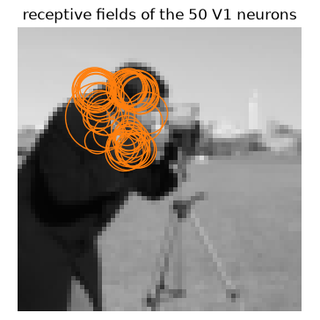
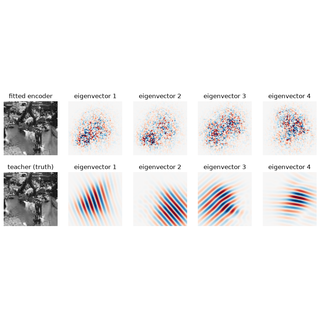
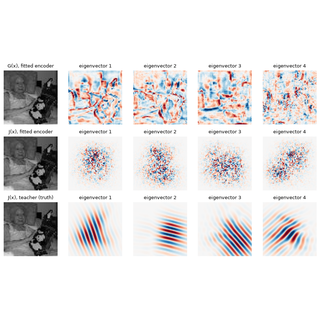
Reproduce the paper#
These notebooks need the datasets, the trained checkpoints of the paper and a GPU.
Notebook |
What it does |
Needs |
|---|---|---|
0 Use an encoder that is already fitted |
load an encoder of the paper, predict responses, compute \(J(x)\) |
a CPU, a minute (Colab works) |
1 Build your own encoder |
synthetic neural data, your own backbone and readout, |
TinyImageNet, about 1 min on a GPU |
2 Train the diffusion model and compute G(x) |
|
TinyImageNet, about 2 min on a GPU |
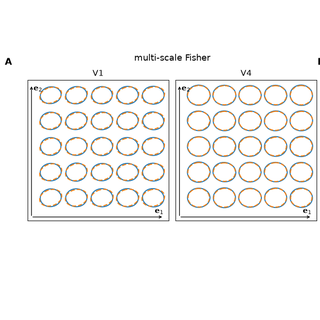
3 Leading eigenvectors of G(x) |
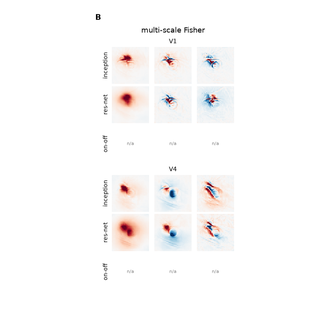
Fig. 3D-F and Fig. 4B-C |
data, checkpoints, a GPU, about 2 min |
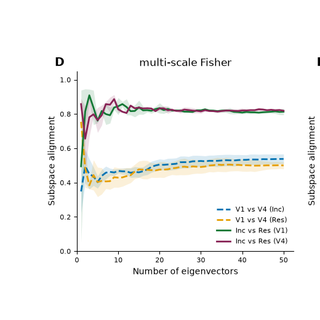
4 Subspace alignment |
Fig. 4D-E |
data, checkpoints, GPUs (local or Modal), 1 min to hours |
5 Local metric field |
Fig. 5 |
data, checkpoints, a GPU, about 25 min |
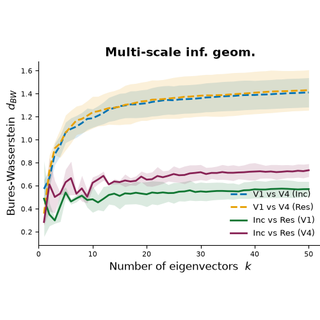
6 Bures-Wasserstein distance |
Fig. 6 (appendix) |
the outputs of notebook 4, a CPU, minutes |
Installation#
See the Installation page. The notebooks have their own repository with a conda environment file for the Jupyter kernel: multigeom-tutorials.
Demo data#
TinyImageNet (notebooks 1 and 2) and the other datasets (TVSD, THINGS images) and the trained checkpoints (notebooks 3 to 6) are described, with download scripts, in the multigeom-tutorials README. The checkpoints are on Hugging Face.
Contributing#
Found a problem, or want to add a demo? See Contributing.